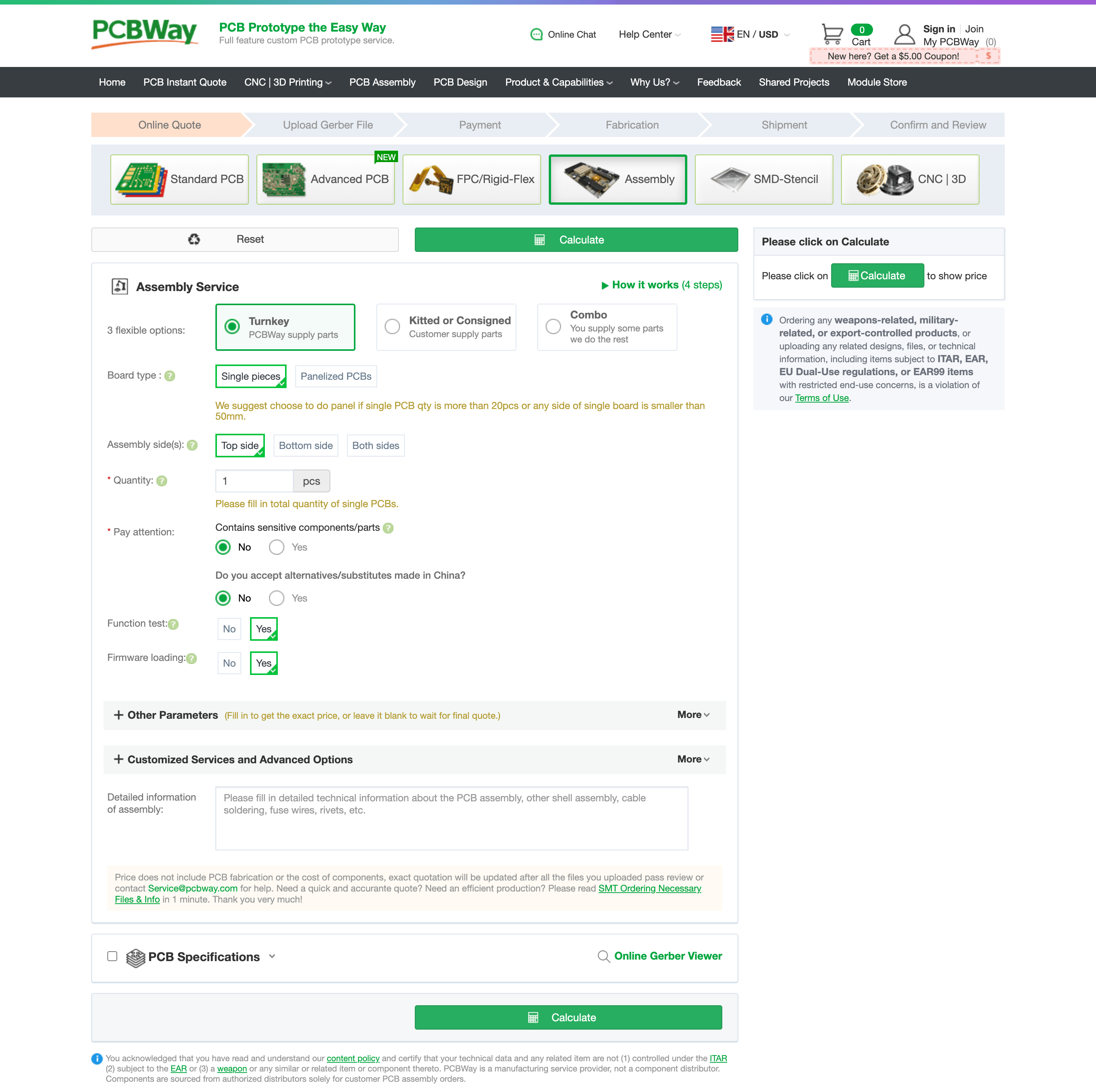
Under the "Assembly Service" section, select the component supply mode (Turnkey / Kitted or Consigned / Combo), board type, and assembly side(s), then enter the total quantity of single PCB.
Select "Yes" for both "Function Test" and "Firmware Loading" to indicate that you require these services. Our team will contact you to discuss your requirements and confirm the details.
Click "Customized Services and Advanced Options" to get more customization, eg: Flying Probe Testing,Number of X-ray test, etc.